What Is PII, Why It Matters, and How to Remove It from Documents
As developers, we touch data constantly: logs, support tickets, user uploads, analytics exports, database backups, and more. Hidden inside a lot of that content is PII—personally identifiable information—that you are often legally and ethically required to protect or remove.
This guide explains:
- What PII is (with concrete examples)
- Why you should detect and remove PII from documents
- How to design and implement PII redaction pipelines in code
- Practical patterns and pitfalls when handling PII at scale
Along the way, we’ll look at approaches from regex-based detection to ML-based redaction, and where tools like the htcUtils PII Redaction (AI) can fit into your workflow.
1. What Is PII?
Personally Identifiable Information (PII) is any information that can identify an individual directly or indirectly.
A simple mental model:
- Direct identifiers: uniquely identify a person on their own.
- Quasi-identifiers / indirect identifiers: identify a person when combined with other attributes.
Examples of Direct Identifiers
- Full name:
Jane Doe
- Email address:
[email protected]
- Phone number:
+1-555-123-4567
- Government ID: Social Security Number, National ID, Passport number
- Driver’s license number
- Bank account number, credit card number
- Exact home address
Examples of Indirect Identifiers
- Date of birth
- ZIP/Postal code
- Employer + job title
- IP address
- Device IDs
- Biometric data (fingerprints, face embeddings)
- Location traces (GPS coordinates)
Any of these might not be uniquely identifying alone, but in combination they often are.
PII vs. Other Data Types
Developers often conflate PII with other privacy-related categories. This table helps separate them:
| Category |
Examples |
Can It Be PII? |
| PII |
Name, email, SSN, phone |
Yes – by definition |
| Sensitive PII |
Health records, financial data, biometrics |
Yes – requires stronger protections |
| Personal Data (GDPR) |
User IDs, cookies, behavioral data |
Often – if it can identify a person |
| Anonymized Data |
Aggregated stats, fully de-identified logs |
No – if re-identification is impossible |
| Pseudonymized Data |
User IDs like user_12345 with no mapping |
Not PII alone, but can become PII |
You’ll often see “PII” in US-centric discussions, and “personal data” under GDPR. Practically, as developers, treat them similarly: they’re data that can be linked back to a specific person.
2. Why Remove PII from Documents?
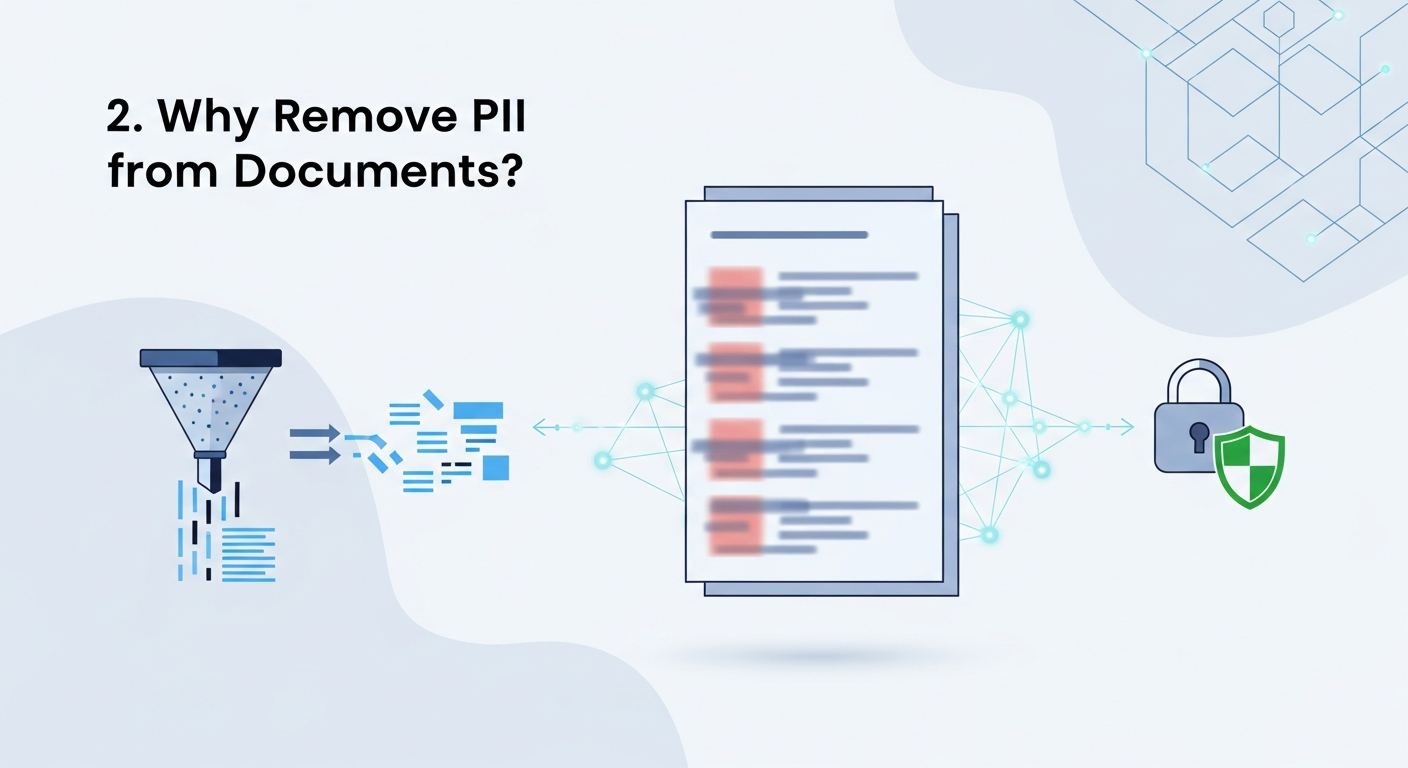
If you’re working with documents (PDFs, Word docs, text logs, ticket exports, chat transcripts, etc.), PII removal is crucial for several reasons.
2.1 Legal and Regulatory Compliance
Different laws require you to protect or minimize personal data:
- GDPR (EU/EEA)
- CCPA/CPRA (California)
- Sector-specific: HIPAA (healthcare), GLBA (finance), etc.
Common obligations:
- Collect only what you need (“data minimization”).
- Protect personal data against unauthorized access.
- Delete or anonymize data after it’s no longer needed.
- Respect user rights (access, erasure, portability, etc.).
Redacting PII in shared documents (e.g., logs you send to vendors, screenshots in tickets, PDF exports) reduces compliance risk.
2.2 Security & Breach Impact
PII is high-value data for attackers. If a document repository is accessed (misconfigured S3 bucket, compromised account, etc.), the damage is much worse if:
- IDs, emails, phone numbers, and addresses are in the clear.
- API logs contain auth tokens or passwords.
- Support transcripts contain full card numbers.
Systematically removing or masking PII reduces the blast radius of any breach.
2.3 Safe Use of AI & Third-Party Services
A lot of teams now send documents to:
- AI APIs for summarization or classification
- External analytics pipelines
- Logging platforms and customer support tools
If those documents contain PII, then:
- You may be transferring personal data to third parties.
- You might violate internal policies or vendor contracts.
- You expand where PII is stored and must be governed.
Redacting PII before sending documents to external services is becoming a standard pattern. Tools like the htcUtils PII Redaction (AI) can help automate this step when working with text documents.
2.4 Internal Privacy & Least Privilege
Even inside your organization, not everyone should see raw PII:
- Developers debugging a production issue
- Analysts exploring usage patterns
- New contractors viewing historical tickets
If you can share redacted versions of documents where individual users aren’t identifiable, you stay closer to least privilege and need-to-know principles.
3. What Does “Removing PII” Actually Mean?
“Removing” PII can take different forms depending on your use case.
3.1 Redaction vs Masking vs Tokenization
| Technique |
Example Input |
Example Output |
Use Case |
| Redaction |
John Doe, SSN: 123-45-6789 |
██████, SSN: █████████ |
Reports, PDFs, logs you share externally |
| Masking |
[email protected] |
j***@example.com |
UI displays, limited internal visibility |
| Hashing |
[email protected] |
9b74c9897bac... |
Aggregation, counting unique users |
| Tokenization |
4111 1111 1111 1111 |
tok_98asf80239 |
Payments, revocable lookups in secure store |
| Generalization |
Born: 1990-01-15 |
Born: 1990s |
Analytics, privacy-preserving statistics |
In documents, you’ll generally use:
- Redaction: for PDFs, Word, text files when sharing outside the team.
- Masking: when displaying data in tools, dashboards, or UIs.
Important design decision:
- Irreversible (true anonymization): no way back. Use for logs, analytics.
- Reversible (pseudonymization): via mapping or encryption. Use when you need to later resolve data back to a user.
For documents you send externally (e.g., to a vendor), aim for irreversible redaction wherever possible.
4. Where PII Hides Inside Documents
PII doesn’t just live in obvious places like “Contact Info” sections. Some common hiding spots:
- Email threads in support tickets
- Embedded screenshots in PDFs or DOCX
- Comments and track changes in Word/Google Docs
- Metadata (author, creation date, GPS location in images)
- Log snippets pasted into documents
- User-generated content: chat logs, surveys, free-text fields
When designing a PII-removal process, you need to think about both visible content and hidden layers.
5. Approaches to Detecting PII
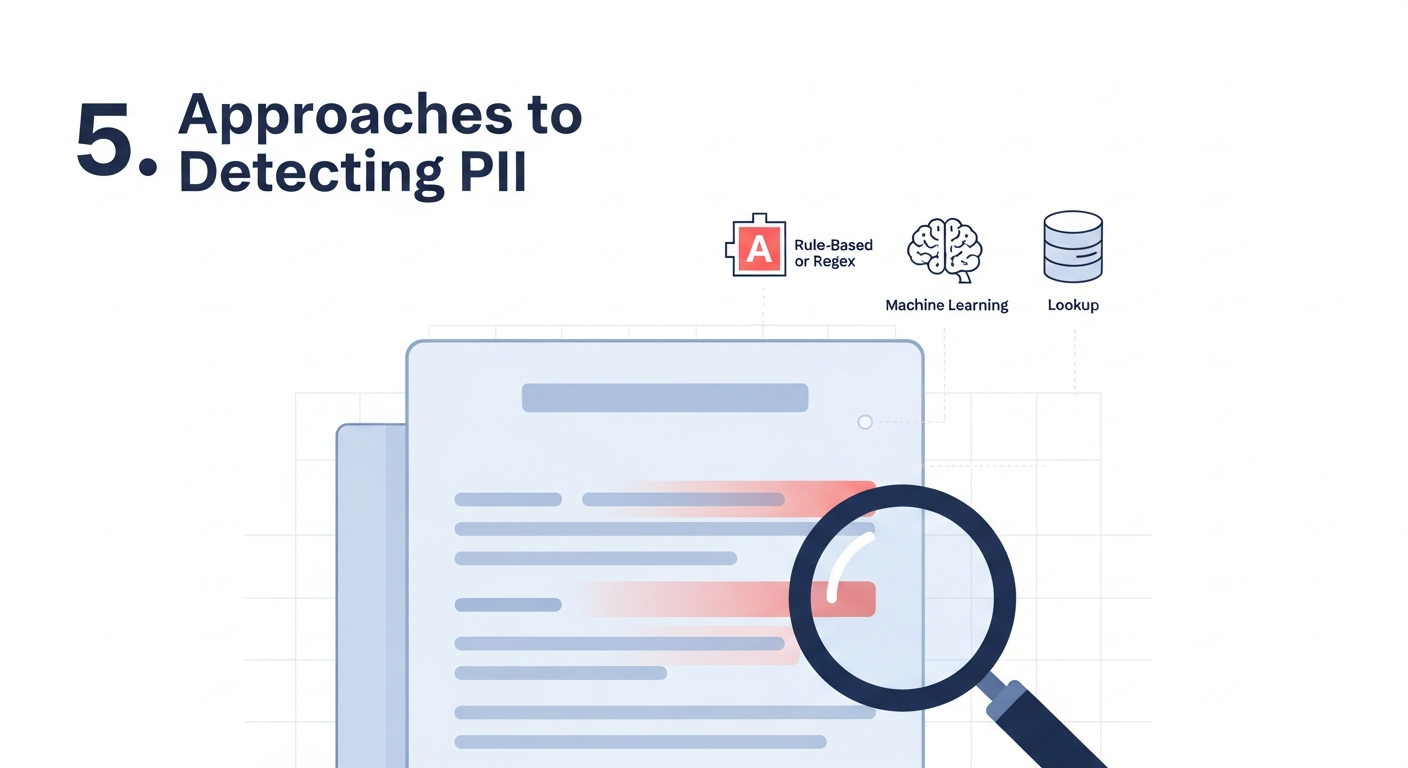
PII removal starts with detection. Broadly, there are three approaches:
- Rule-based (regex, pattern matching)
- Structured context-based (schemas, field names)
- ML/AI-based (NER, classifiers)
Often, you’ll combine them.
5.1 Rule-Based Detection: Regex & Patterns
This is usually step one for developers: recognize PII with regular expressions and string rules.
Common Examples
import re

EMAIL_RE = re.compile(r'[a-zA-Z0-9_.+-]+@[a-zA-Z0-9-]+\.[a-zA-Z0-9-.]+')
PHONE_RE = re.compile(r'\+?\d[\d\s\-\(\)]{7,}\d')
CREDIT_CARD_RE = re.compile(r'\b(?:\d[ -]*?){13,16}\b')

text = "Contact me at [email protected] or +1 (555) 123-4567."

emails = EMAIL_RE.findall(text)
phones = PHONE_RE.findall(text)

print(emails)  # ['[email protected]']
print(phones)  # ['+1 (555) 123-4567']
Pros:
- Precise for standardized formats (emails, credit cards).
- Transparent and easy to audit.
- Cheap and fast.
Cons:
- Misses edge cases (non-standard formats, typos).
- Poor at names and free-text entities.
- Locale-sensitive (phone formats, address styles).
5.2 Context-Based Detection
If your documents are generated from structured data, use the structure:
- Field names:
user_email, phone_number, ssn
- JSON keys, CSV headers, table columns
- DOM structure in HTML
// Example: redacting PII in JSON based on field names
function redactJson(obj, piiKeys = ['email', 'phone', 'ssn']) {
  if (Array.isArray(obj)) {
    return obj.map(item => redactJson(item, piiKeys));
  } else if (obj && typeof obj === 'object') {
    const result = {};
    for (const [key, value] of Object.entries(obj)) {
      if (piiKeys.includes(key.toLowerCase())) {
        result[key] = '[REDACTED]';
      } else {
        result[key] = redactJson(value, piiKeys);
      }
    }
    return result;
  }
  return obj;
}

const data = {
  name: "Jane Doe",
  email: "[email protected]",
  details: { phone: "+1-555-123-4567" }
};

console.log(redactJson(data));
This works great for structured exports (JSON, CSV) you plan to share.
5.3 ML/AI-Based Detection: Named Entity Recognition
For natural-language documents (support transcripts, chat logs, reports), rule-based detection hits limits. You might need Named Entity Recognition (NER) or more advanced AI.
NER can detect:
- Person names
- Locations
- Organizations
- IDs, etc.
Python example with spaCy:
import spacy

nlp = spacy.load("en_core_web_sm")

text = "John Smith lives in New York and his email is [email protected]."

doc = nlp(text)

for ent in doc.ents:
  print(ent.text, ent.label_)
You can combine NER with regex:
- Use NER to find names, locations.
- Use regex to find emails, phones, card numbers.
AI-based services (including tools like the htcUtils PII Redaction (AI)) apply similar ideas but with pre-trained models tailored for detecting PII in text, which can be convenient when you want robust detection without building your own ML pipeline.
6. How to Redact PII from Documents: End-to-End Workflow
Let’s walk through a typical workflow, from raw document to safe output.
6.1 High-Level Flow
graph TD
    A[Raw Document\n(PDF, DOCX, Text)] --> B[Extract Content\nText + Metadata]
    B --> C[Detect PII\nRegex + Rules + AI]
    C --> D[Apply Redaction\nMask, Replace, Remove]
    D --> E[Rebuild Document\n+ Redaction Markings]
    E --> F[Store/Share Safe Version]
Key idea: separate extraction, detection, redaction, and reassembly.
6.2 Example: Redacting PII in Plain Text
For plain text documents (logs, exports), you can do all steps in code.
Step 1: Detect PII
Use a combination of regexes:
import re

EMAIL_RE = re.compile(r'[a-zA-Z0-9_.+-]+@[a-zA-Z0-9-]+\.[a-zA-Z0-9-.]+')
PHONE_RE = re.compile(r'\+?\d[\d\s\-\(\)]{7,}\d')

def detect_pii_spans(text):
  spans = []

  for match in EMAIL_RE.finditer(text):
    spans.append(("EMAIL", match.start(), match.end()))

  for match in PHONE_RE.finditer(text):
    spans.append(("PHONE", match.start(), match.end()))

  # Ensure spans are sorted and non-overlapping
  spans.sort(key=lambda x: x[1])
  return spans
Step 2: Apply Redaction
def redact_text(text, spans, placeholder='[REDACTED]'):
  """
  text: original string
  spans: list of tuples (label, start, end)
  """
  result = []
  current = 0

  for label, start, end in spans:
    if start > current:
      result.append(text[current:start])
    result.append(placeholder)
    current = end

  if current < len(text):
    result.append(text[current:])

  return ''.join(result)

text = "Contact [email protected] or +1 555 123 4567 for support."
spans = detect_pii_spans(text)
print(redact_text(text, spans))
# Output: Contact [REDACTED] or [REDACTED] for support.
You can vary behavior by label:
def redact_text_by_type(text, spans):
  result = []
  current = 0

  for label, start, end in spans:
    if start > current:
      result.append(text[current:start])

    if label == "EMAIL":
      result.append("[EMAIL REDACTED]")
    elif label == "PHONE":
      result.append("[PHONE REDACTED]")
    else:
      result.append("[REDACTED]")
    current = end

  if current < len(text):
    result.append(text[current:])

  return ''.join(result)
6.3 Redacting PII in PDFs or Word Documents
For PDFs and DOCX, the workflow is similar but with extra steps:
- Extract text and layout (e.g., using
pdfplumber, PyPDF2, or python-docx).
- Detect PII in the extracted text.
- Map text positions back to coordinates in the document (for PDFs).
- Apply redaction boxes or replacement text.
- Save a new document.
A simplified Python example for extracting and redacting text (not layout-aware redaction):
import pdfplumber

def extract_pdf_text(path):
  texts = []
  with pdfplumber.open(path) as pdf:
    for page in pdf.pages:
      texts.append(page.extract_text() or "")
  return "\n".join(texts)

pdf_text = extract_pdf_text("contract.pdf")
spans = detect_pii_spans(pdf_text)
redacted_text = redact_text(pdf_text, spans)
Real PDF redaction needs to ensure:
- The underlying text content is removed, not just visually covered.
- Redaction marks are burned into the PDF, not layered on top.
A common pattern is to:
- Extract and process text.
- Use a library or an external tool that can apply true redactions based on text search/coordinates.
6.4 Stream-Based Redaction in Logs and Pipelines
For log files, streaming redaction works well:
- Apply PII redaction on each line as logs are ingested.
- Ship only redacted logs to centralized logging systems.
# Example: pipe app logs through a Python redactor
python app.py 2>&1 | python redact_logs.py | tee redacted.log
Where redact_logs.py reads from stdin, applies regex/NER-based redaction, and writes safe output to stdout.
7. Best Practices for PII Redaction Pipelines
7.1 Treat PII as Toxic Data
Adopt a mindset that PII is toxic:
- Avoid storing raw PII in logs at all if possible.
- Redact at ingestion time, not as an afterthought.
- Don’t create new PII copies unnecessarily (temp files, debug prints).
7.2 Keep Detection Rules & Models Versioned
- Maintain regex and PII detection configurations in version control.
- Document each PII type you detect and how you handle it.
- Consider a configuration format like YAML:
pii_types:
  - name: email
    pattern: '[a-zA-Z0-9_.+-]+@[a-zA-Z0-9-]+\.[a-zA-Z0-9-.]+'
    action: redact
  - name: phone
    pattern: '\+?\d[\d\s\-\(\)]{7,}\d'
    action: mask
7.3 Test with Realistic Data
- Build unit tests for your redaction logic.
- Include edge cases: international phone formats, uncommon TLDs, names with accents.
- Generate synthetic test data that resembles real input without exposing actual PII.
7.4 Log Safely About Redaction
When debugging redaction itself:
- Avoid logging original PII values.
- If you must, use ephemeral environments and scrub logs after debugging.
- Prefer logs like:
[INFO] Redacted 3 EMAIL and 2 PHONE entities from document 12345
7.5 Document Your Guarantees (and Limits)
Be clear with your team about:
- What PII types are detected and removed.
- Known limitations (e.g., not detecting handwritten text in images).
- How to handle exceptions (e.g., legal hold, audits where full PII is needed).
This transparency helps others use your redaction pipeline correctly.
Building a robust PII redaction system from scratch can be time-consuming, especially as you start dealing with:
- Multiple languages
- Various document formats (PDF, DOCX, HTML, plain text)
- More subtle entities (names, addresses, IDs) in free-form text
There are situations where using an external helper tool or API is practical:
- You need a quick way to experiment with detection rules.
- You want to process ad-hoc documents (like a single contract or test file).
- You’re building a workflow where a human will review redactions.
For example, the htcUtils PII Redaction (AI) provides an AI-based interface for detecting and redacting PII in text, which can be handy for:
- Trying out different redaction strategies on sample content.
- Getting a feel for what’s being detected automatically.
- Comparing AI-based detection results with your own rule-based approach.
You can use tools like that to prototype your redaction approach before you implement a production-grade solution in your own codebase or infrastructure.
9. Putting It All Together: A Simple Text Redaction Library (Python)
To make things concrete, here’s a minimal but extensible Python example that:
- Uses regex for detection
- Supports pluggable rules
- Applies per-type redaction strategies
import re
from dataclasses import dataclass
from typing import Callable, List, Tuple

@dataclass
class PiiRule:
    name: str
    pattern: re.Pattern
    redactor: Callable[[str], str]

def mask_email(value: str) -> str:
    local, _, domain = value.partition("@")
    if len(local) <= 1:
        return "[EMAIL REDACTED]"
    return local[0] + "***@" + domain

def mask_phone(value: str) -> str:
    digits = re.sub(r'\D', '', value)
    if len(digits) < 4:
        return "[PHONE REDACTED]"
    return "***-***-" + digits[-4:]

RULES: List[PiiRule] = [
    PiiRule(
        name="EMAIL",
        pattern=re.compile(r'[a-zA-Z0-9_.+-]+@[a-zA-Z0-9-]+\.[a-zA-Z0-9-.]+'),
        redactor=lambda v: "[EMAIL REDACTED]",
    ),
    PiiRule(
        name="PHONE",
        pattern=re.compile(r'\+?\d[\d\s\-\(\)]{7,}\d'),
        redactor=lambda v: "[PHONE REDACTED]",
    )
]

def detect_and_redact(text: str, rules: List[PiiRule]) -> str:
    # Collect all matches with positions and redaction functions
    matches: List[Tuple[int, int, Callable[[str], str]]] = []
    for rule in rules:
        for m in rule.pattern.finditer(text):
            matches.append((m.start(), m.end(), rule.redactor))

    # Sort and resolve overlaps
    matches.sort(key=lambda m: m[0])

    redacted = []
    current = 0
    for start, end, redactor in matches:
        if start < current:
            # Overlapping span, skip or handle specially
            continue
        if start > current:
            redacted.append(text[current:start])
        original = text[start:end]
        redacted.append(redactor(original))
        current = end

    if current < len(text):
        redacted.append(text[current:])

    return "".join(redacted)

if __name__ == "__main__":
    sample = "Email me at [email protected] or call +1 (555) 123-4567."
    print(detect_and_redact(sample, RULES))
This is obviously simplified, but:
- It’s easy to extend with new
PiiRule entries.
- You can swap
redactor functions to mask instead of fully redact.
- You can integrate it into log pipelines, API middleware, etc.
10. Conclusion
PII is everywhere in the documents we handle as developers—logs, support transcripts, exports, contracts, and more. Leaving that information unprotected increases:
- Legal and regulatory risk
- Security and breach impact
- Complexity of working with external tools and AI APIs
The key ideas to take away:
- Understand PII: both direct identifiers (emails, IDs) and indirect ones (DOB, location).
- Choose appropriate transformations: redaction, masking, hashing, or tokenization depending on your use case.
- Build a layered detection approach: combine regex, context from field names, and ML/AI where needed.
- Design a robust workflow: extract → detect → redact → rebuild → share.
- Integrate privacy by design: redact early, treat PII as toxic, and minimize where it’s stored.
You can experiment with AI-based approaches using tools like the htcUtils PII Redaction (AI), then codify what works for your real-world data into your own pipelines.
Handled well, PII redaction lets you keep all the value of your data—debuggability, analytics, collaboration—while respecting your users’ privacy and keeping your systems safer.